
Van fleet compliance for trades and construction firms
For builders, electricians, plumbers, roofers, groundworks and maintenance firms. VCT checks every van's MOT and road tax overnight, puts the daily walkaround check on your operatives' phones and keeps your records ready if an insurer or main contractor asks for them.
For the office manager who looks after the vans as well
In most trades firms the fleet is one job among many for the office manager, the contracts manager or the owner.
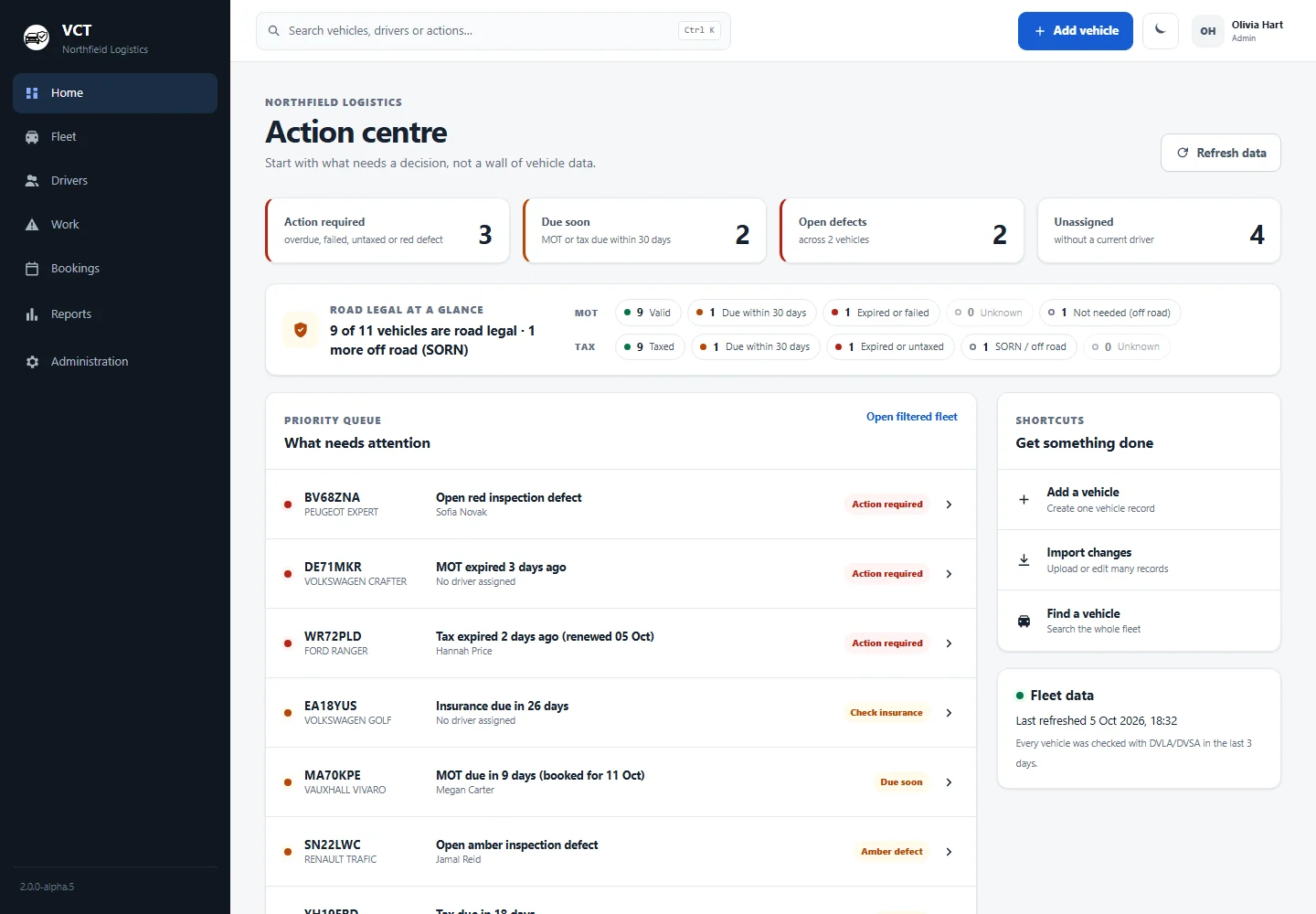
Open VCT and the Action centre tells you how many vehicles are road legal (taxed, with a valid MOT) and lists what needs action, worst first. The weekly round-up email arrives on the day you choose, so if nothing needs you, you can check in once a week.
- MOT and tax checked with DVSA and DVLA every night
- Reminder emails before an MOT or tax runs out, with a Due soon window of 30 days
- Works in a browser on a computer or phone, with nothing to install
What makes a trades fleet hard to keep track of
Trades vans spend more time on site and outside operatives' homes than in your yard. You can go weeks without seeing one.
Vans that go home
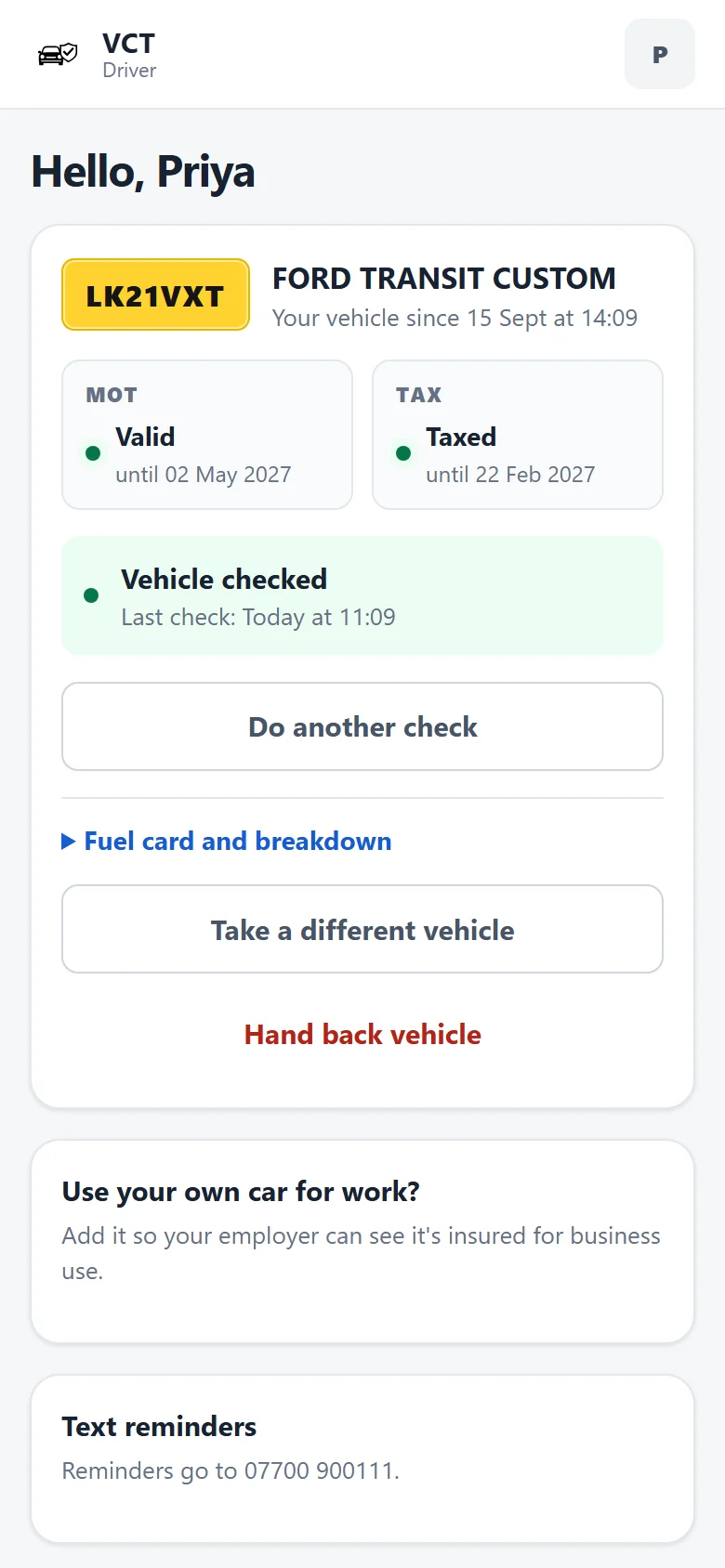
Operatives take vans home and drive straight to site. The daily check happens on the operative's phone wherever the van is parked, and anything amber or red reaches the office straight away.
Tools and loads
A van full of tools needs more than tyres and lights checked. Add your own items to the checklist, such as the tool store locks, the ladder rack or load security.
Records on request
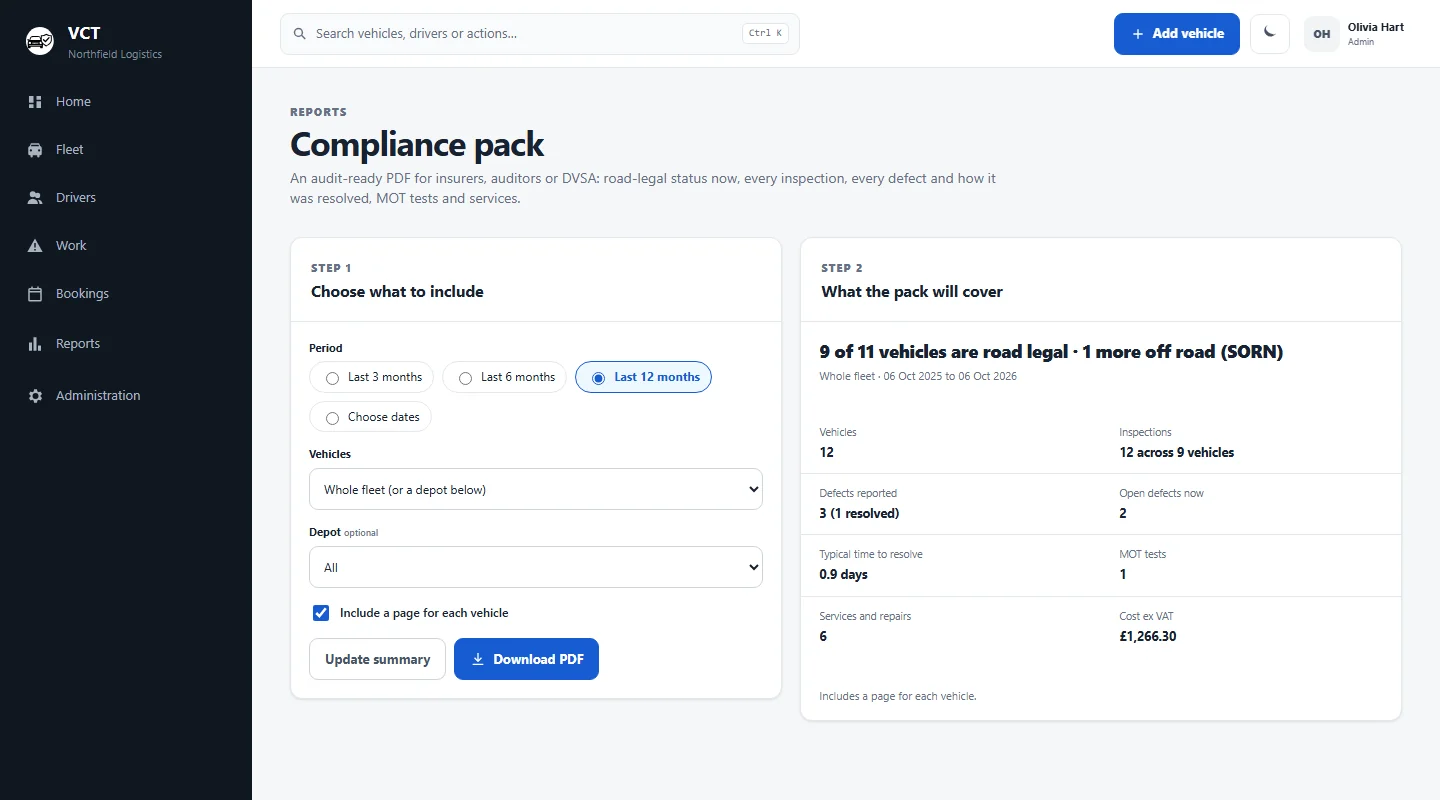
Insurers and main contractors may ask for vehicle records. The compliance pack PDF puts inspections, defects, MOT tests, services and costs for a chosen period in one document.
A checklist that fits your vans
VCT starts with a standard list: fluids, tyres and brakes, lights, wipers, windscreen and mirrors, seat belts and horn. You can edit it for your company and add items for the kit your vans carry.
- Operatives tap each item green, amber or red, with a note for anything that isn't green
- Every red or amber item becomes work with an owner in the work queue
- Critical items stay at the top of the queue
- A defect only clears when a later check marks the same item green
Our van walkaround checklist guide is a good place to start, and the walkaround check app page has more detail.
Vans, pickups, tippers and staff cars in one list
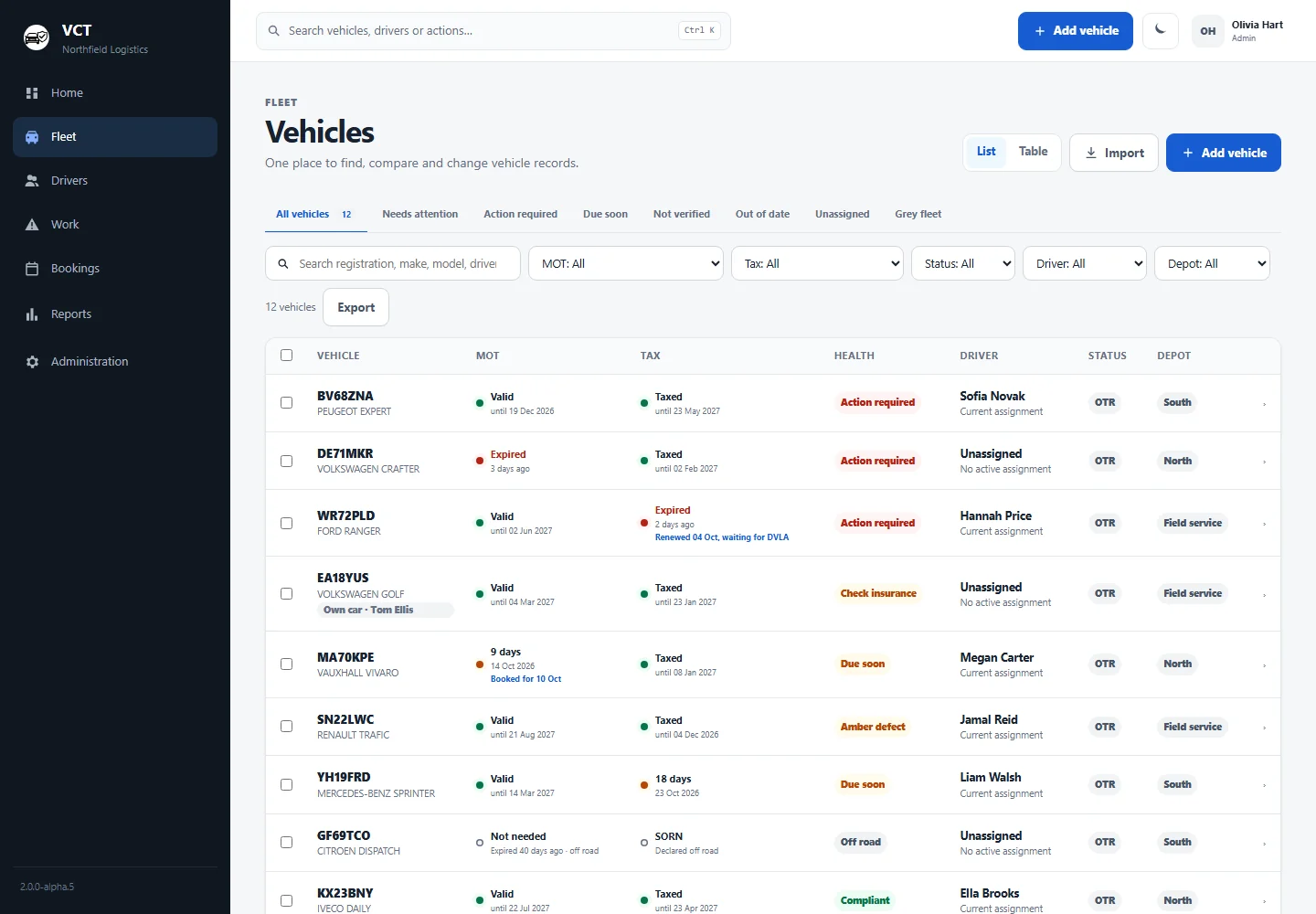
Many trades fleets mix vans and pickups with a tipper or two, plus staff who drive their own cars to site. VCT keeps them all in one fleet table.
Tippers and other HGVs
VCT reads HGV annual test results from DVSA the same way as van MOTs, and checks HGV road tax with DVLA. A new truck's first annual test is due 12 months after registration, and DVSA's heavy-vehicle test history starts in 2018. See HGV fleet compliance.
Staff using their own cars
When staff drive their own cars for work, those cars are your grey fleet. VCT checks them every night like your vans and shows business insurance expiry next to company vehicles. Drivers can add their own car from their phone. More on grey fleet compliance.
From your spreadsheet to checked vans
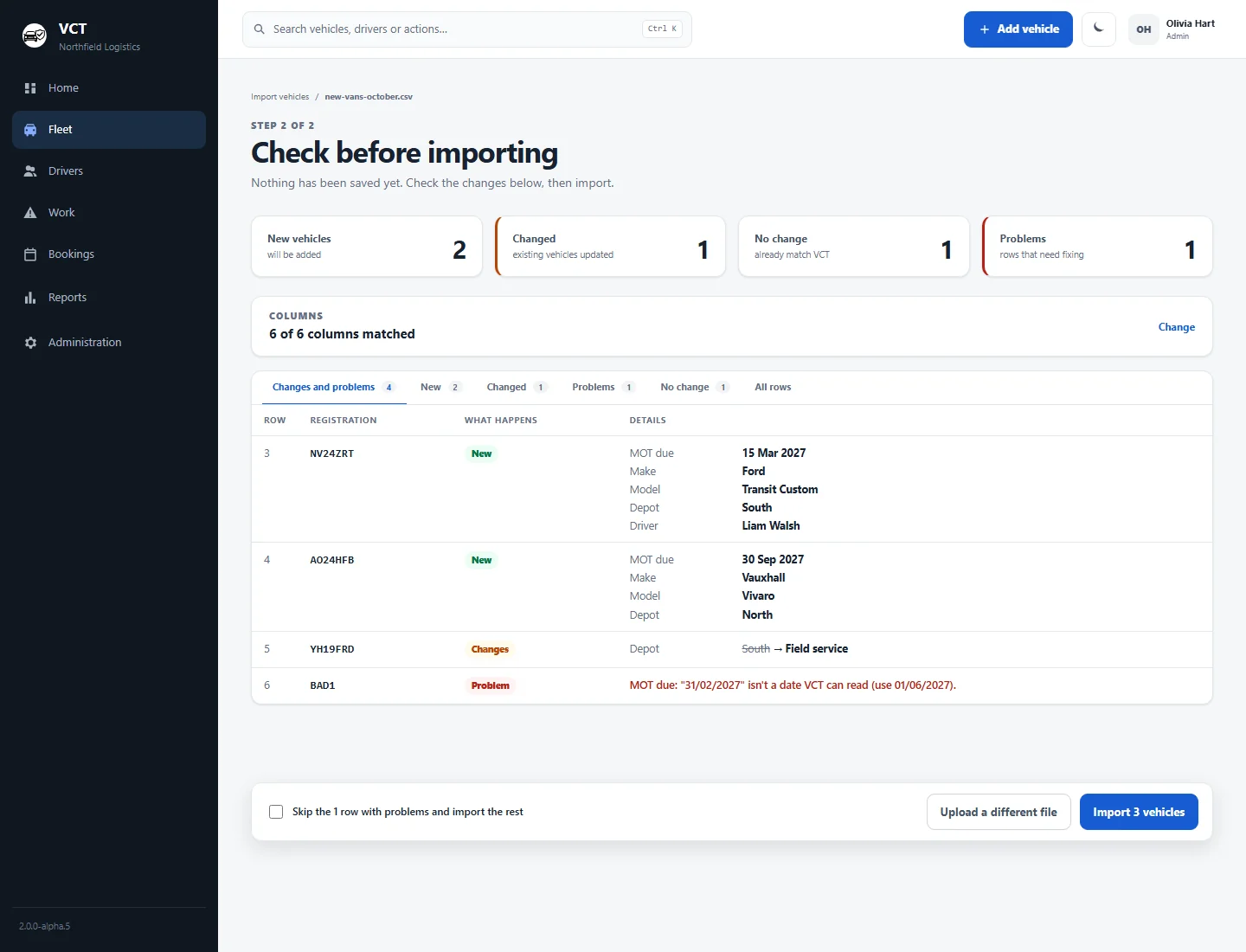
- Import your spreadsheet. Save it as a CSV and upload it. The preview shows exactly what will change before anything is saved.
- Add your checklist items. Start from the standard list and add the tool store, ladder rack or anything else your vans carry.
- Add your operatives. They sign in on their phone's browser and do their first check. Assign vans in the bookings timeline, including long-term assignments.
- Let VCT run overnight. Road tax with DVLA and the MOT or HGV annual test with DVSA, every night, with reminder emails before anything runs out.
- Deal with what comes up. Defects land in the work queue with an owner, and the Action centre lists what needs action, worst first.
Moving off a spreadsheet? See VCT vs spreadsheets.
Records for insurers and main contractors
The compliance pack is a PDF for a period and depot you choose. Send it with an insurance renewal or a contractor's pre-qualification questions.
- Road-legal status, every inspection, every defect and how fast it was fixed
- MOT tests, services and costs
- Record driving licence checks and consent, and see when checks are due. Automatic licence checks with DVLA are coming soon.
- Text-message add-on: text operatives when the MOT, tax or insurance on their vehicle is about to run out, or when they haven't done the day's check
What it costs for a trades fleet
£3.50 per vehicle a month, falling to £2.50 per vehicle for bigger fleets (minimum £35 a month), ex VAT. Every vehicle costs the rate for your fleet's size band, with everything included. You pay monthly, with no contract.
For example, 12 vans cost 12 × £3.50 = £42 a month, or £50.40 with VAT at 20%. 30 vehicles cost 30 × £3.25 = £97.50 a month. With 6 vans you pay the £35 minimum, which covers up to 10 vehicles.
Texts are the only add-on, at £10 a month for up to 200 texts. If prices go up, existing customers keep the price they signed up at. See full pricing, or read more about software for small fleets.
Trades fleet software FAQs
Can operatives do the check if they take the van home?
Yes. The check runs in the phone's web browser, so operatives can do it wherever the van is parked. There's nothing to install from an app store.
Can I add my own items to the checklist?
Yes. You can edit the checklist for your company. Add items such as the tool store locks, the ladder rack or load security alongside the standard list.
Does VCT cover tippers and other HGVs?
Yes. VCT checks each truck's road tax with DVLA and its annual test with DVSA every night. It doesn't do PMI scheduling, operator licence management or tachograph analysis.
Can staff who use their own cars be included?
Yes. Staff cars used for work sit in the same list as your vans, with MOT and tax checked every night and business insurance expiry shown. Drivers can add their own car from their phone.
Can I import my existing spreadsheet?
Yes. Save it as a CSV and upload it. VCT shows a preview of exactly what will change before anything is saved.
Is there a free trial?
There is no free trial. Enter a registration and your email on the homepage instead, and we'll email you a link to a demo with your own vehicle looked up live.
See it with one of your own vehicles
Enter a registration and your email on the homepage. We'll send you a link to a demo of VCT with your vehicle looked up live with DVLA and DVSA.